
Wedding management, from inquiry to delivery
Every couple has its own record: where the deal stands, what they bought, who works that day and where. Status changes in one click and SnapBiz remembers the dates that matter.
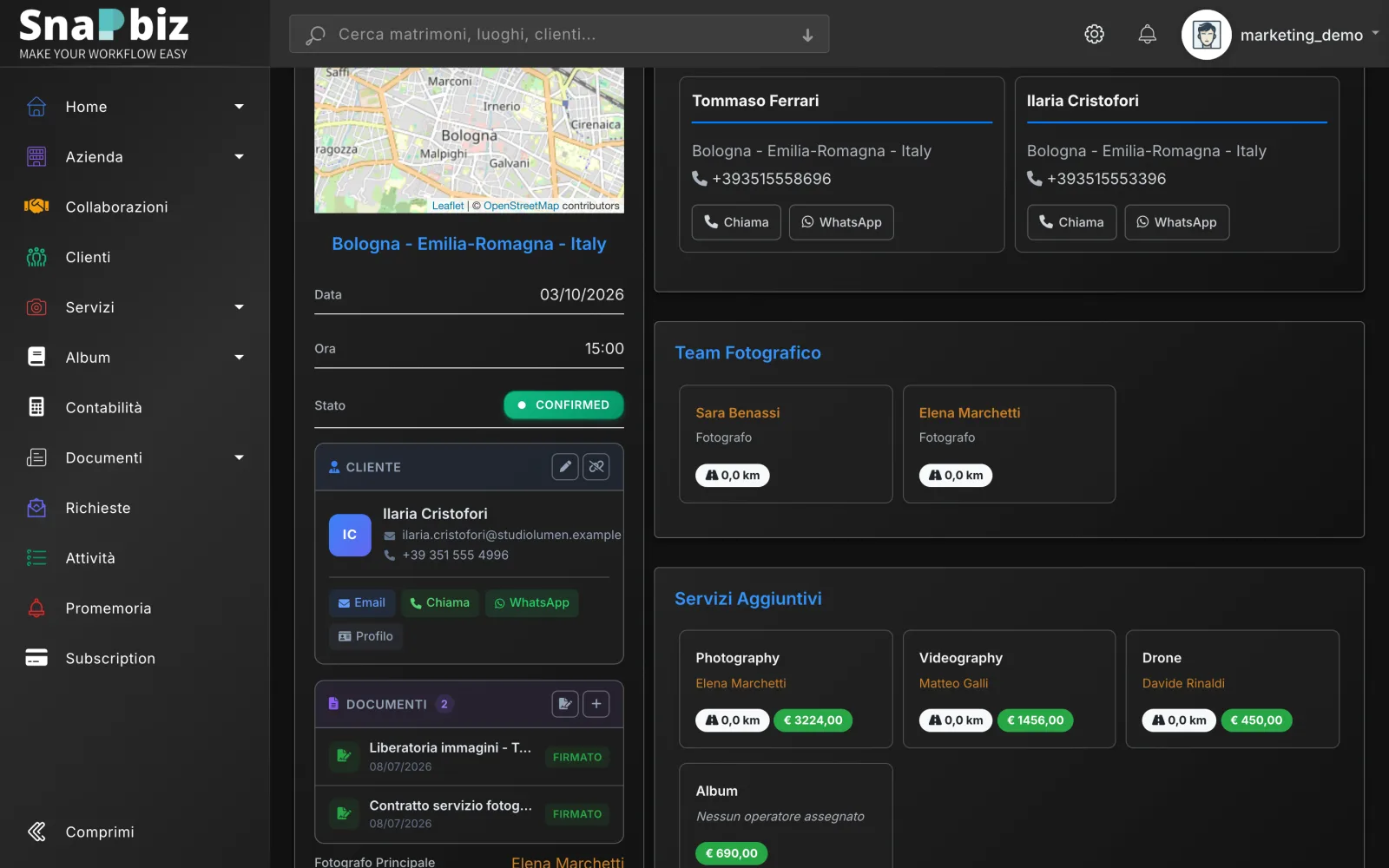
Screenshots with sample data.
In SnapBiz a wedding moves through eight statuses, from contacted to delivered. Every change is dated, so you know how long it takes from inquiry to booking and which channels bring couples in.
Deal statuses
Contacted, on hold, confirmed, declined, rescheduled, delivered, closed: every change is dated.
Services and costs
Photo, video, album, drone: add what you sold, assign operators and track studio costs.
Automatic reminders
An inquiry left idle for a week lands in your inbox; after booking, SnapBiz reminds you to get the contract signed.
Markdown notes
Getting-ready times, contacts, directions: readable notes with links and bold text, also in the iPhone app.
Google Calendar and .ics
Confirmed weddings appear in your Google Calendar; you can also export them to an .ics file.
Contracts read by AI
Upload a paper contract as PDF: AI extracts couple, date and venue, and you confirm the data.
Frequently asked questions
Can I import the weddings I already have?
Yes. Upload signed contracts as PDF and let AI extract the data, or enter weddings from the form. SnapBiz flags duplicates and helps you merge them.
Is Google Calendar sync two-way?
No. SnapBiz writes confirmed weddings to your Google Calendar and removes those no longer confirmed, but it does not read events created in Google.
Why record decline reasons?
To learn why couples pick another photographer. SnapBiz can suggest the reason category from the note you write.
Works together with
Inquiries
Inquiries from email and your website land in one list, no copying by hand.
Calendar and team
Who is free, who is working and where: photographers' and videographers' availability in one calendar.
Quotes and contracts
Quotes with options, contracts filled in and signed online, PDFs generated for you.